

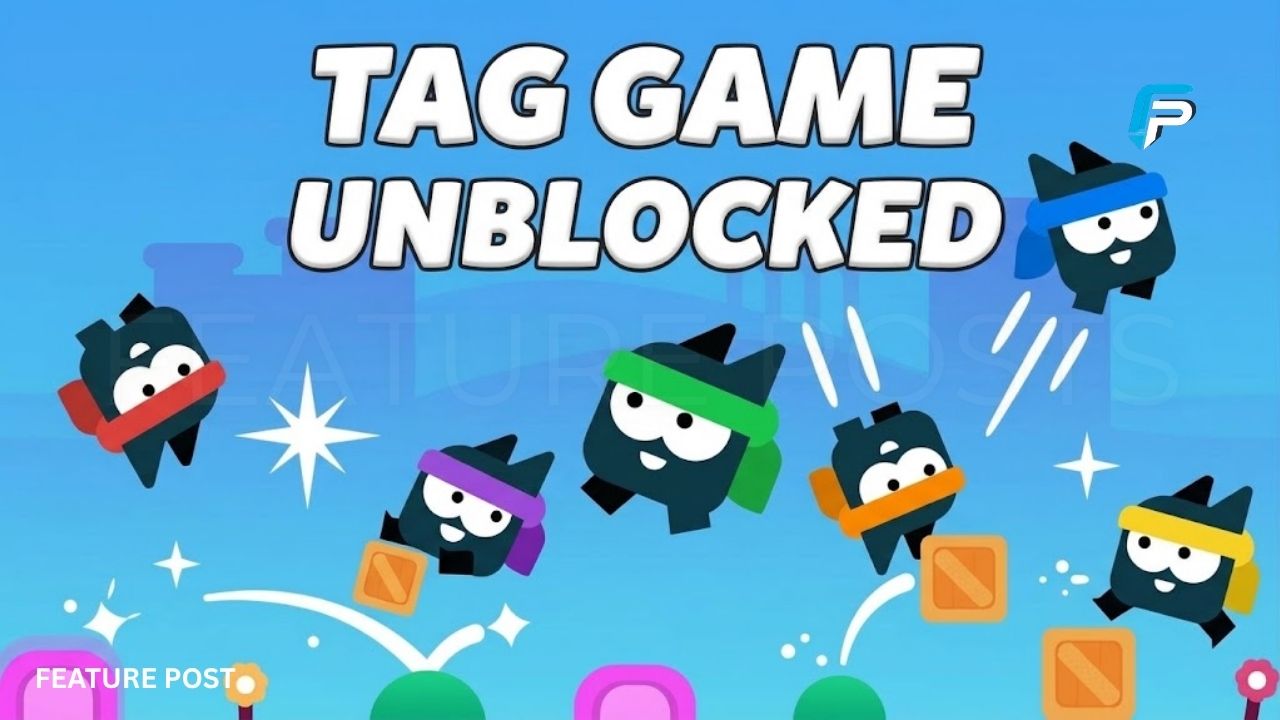
Classic playground games have found a new home on the internet, and Tag is one of the easiest examples to understand. The basic idea is familiar: one player becomes “it,” everyone else runs away, and the role changes when someone gets tagged. The browser version turns that simple idea into a fast multiplayer game with colorful arenas, jumping, shortcuts, and timed rounds. Players can gather around one computer and compete without needing complicated gaming experience. Current game listings describe Tag as a local multiplayer browser game for two to four players.
The phrase Tag Game Unblocked is commonly used on browser-game websites to describe versions that can be played directly through a web browser. The game itself is designed around quick controls and shared-screen multiplayer rather than lengthy campaigns or complicated menus. Depending on the version and website, players can choose different maps, match lengths, and optional settings. This guide explains how the game works, its controls, multiplayer setup, objectives, useful movement strategies, and what players should know before playing.
What Is Tag Game Unblocked?
Tag Game is a browser-based multiplayer game inspired by the traditional game of tag. One player begins as the tagger, often shown as “IT,” while the other players attempt to escape. When the tagger touches another player, the tagged player becomes the new tagger. This creates a constantly changing chase where players must decide whether to attack, escape, or use the environment to their advantage.
The “unblocked” part of the search phrase usually refers to websites that host browser versions and make them accessible without a separate installation. The game can run through compatible web browsers, although access on a particular school or workplace network depends on that network’s own policies. Players should always follow the rules of the network they are using.
How Does Tag Game Work?
The basic gameplay is easy to learn. At the start of a round, one player becomes the tagger and the remaining players become runners. The tagger tries to touch another player, while everyone else uses movement and the map layout to stay away. Once another player is tagged, the “IT” role changes.
Many current versions use timed rounds, with common options including 60, 120, or 180 seconds. The exact settings can vary between versions. In the standard timed setup, players need to avoid being the tagger when the countdown reaches zero. This simple rule keeps rounds short and gives everyone a reason to keep moving until the final seconds.
How Many Players Can Play Tag?
Tag is primarily designed for local multiplayer. Current listings describe support for two, three, or four players using the same computer and screen. This setup makes the game particularly suitable for friends or family members sitting together.
Each player receives a separate set of keyboard controls. Because everyone shares one keyboard, players need to sit close enough to reach their assigned keys comfortably. A two-player match is easier for beginners, while four-player rounds can become much more chaotic because several characters move around the same arena at once.
Tag Game Controls
The controls are intentionally simple. In one current version, Player 1 uses W, A, and D, while Player 2 uses the Arrow Keys. Player 3 uses I, J, and L, and Player 4 uses T, F, and H.
| Player | Jump | Move Left | Move Right |
|---|---|---|---|
| Player 1 | W | A | D |
| Player 2 | Up Arrow | Left Arrow | Right Arrow |
| Player 3 | I | J | L |
| Player 4 | T | F | H |
Controls can differ between websites or game versions, so players should check the instructions shown on the specific game page before starting.
How to Start a Tag Game
Starting a match is usually straightforward. Open a compatible browser version of Tag and select the number of players. Depending on the version, you may also be able to choose a map, match duration, and optional gameplay settings. Current listings describe three-player and four-player options alongside two-player play.
Once everyone understands their controls, begin the round. One player receives the “IT” role, and the chase starts immediately. Runners should spread out rather than staying together, while the tagger needs to predict where another player is heading. The role can change several times during one round.
Maps and the Game Environment
The arena is an important part of Tag’s gameplay. Players do not simply run across a flat screen. Current versions feature platforms and movement shortcuts that can change how a chase develops. Some listings mention three distinct maps, while other versions or updated listings describe additional themed environments.
Platforms, bounce areas, and teleporters can give runners alternative escape routes. They can also help the tagger close distance quickly. Learning the layout of an arena is therefore useful because players can begin predicting where opponents will go instead of simply following them from behind.
What Happens When You Get Tagged?
Getting tagged does not normally remove you from the game. Instead, the role of tagger transfers to the player who was touched. The former tagger becomes a runner and must immediately start avoiding the new “IT” player.
This role-switching mechanic keeps everyone involved throughout the match. A player who spends too long chasing someone may suddenly become the target. Likewise, a runner who thinks they are safe can become the tagger after one mistake. The constant changes make even short rounds feel different from one another.
How to Avoid Being Tagged
Good movement is more important than simply holding the direction keys. Runners should watch the tagger’s position and avoid moving in predictable straight lines. Jumping between platforms can create distance, while changes in direction can make it harder for the tagger to anticipate the next move.
Players should also pay attention to the surrounding terrain. A shortcut that looks useful may become a trap if the tagger follows closely behind. Experienced players can use high platforms, gaps, bounce pads, or teleporters to force the chaser to take a longer route. Current game descriptions specifically highlight these environmental movement options.
Key Takeaways
- Tag Game Unblocked is commonly used for browser versions of the multiplayer Tag game.
- Current versions support 2–4 local players using separate keyboard controls.
- The main objective is to chase other players while avoiding becoming “IT” when time expires.
- Maps can include platforms, shortcuts, bounce areas, and teleporters that affect movement.
- Browser access does not guarantee availability on every school or workplace network.
How to Play as the Tagger
Playing as “IT” requires a different approach. Instead of chasing the closest player blindly, watch how runners move and look for predictable routes. If a player repeatedly uses the same platform or shortcut, you can try cutting them off instead of following directly behind.
The best opportunity often comes when a runner has limited space. Rather than trying to match their exact movements, the tagger can move toward the area where the runner is likely to land. This turns the chase into a game of positioning. Fast reactions help, but predicting movement can be just as important.
Match Times and Optional Settings
Several current versions allow players to select a match duration before starting. Common choices include 60, 120, and 180 seconds. Some versions also offer optional “Buffs” or similar modifiers that change movement possibilities.
Shorter rounds work well when players want quick matches, while longer rounds give everyone more time to learn the map. Optional settings can add variety, but beginners may find it easier to start with standard settings. Once players understand the basic mechanics, they can experiment with additional options if the version provides them.
Can You Play Tag Game on a School Computer?
Browser versions of Tag can run on computers that support the required web technology, but whether the game is accessible depends on the network. A school, workplace, or public network may restrict gaming websites regardless of whether a particular site describes itself as “unblocked.”
Players should not attempt to bypass school or workplace security controls. If gaming is allowed during a designated break, use a website permitted by the network administrator. The term “unblocked” is a description used by game websites and does not guarantee that every network will allow access.
Does Tag Game Require a Download?
The browser versions covered by current game listings are designed to run directly in a web browser. One current listing identifies the game as HTML5 and describes it as playable through a browser without installation. Another listing also presents Tag as a browser game for desktop play.
This makes the game convenient for quick sessions. Players can open a compatible website, load the game, and start playing without installing a large gaming client. However, browser performance can depend on the device, browser, and the specific version being played.
Is Tag Game Available on Mobile?
Mobile support can vary between versions. Some listings describe Tag as compatible with mobile devices, while others specifically recommend desktop play because the core multiplayer experience relies on shared keyboard controls.
For the full two-to-four-player local experience, a desktop or laptop with a keyboard is generally more practical. Before playing on a phone or tablet, check the controls provided by the specific version. Touchscreen support is not necessarily identical across every Tag game website.
Tips for Better Tag Gameplay
One useful strategy is to keep moving, but movement should have a purpose. Running directly away from the tagger can make your route easy to predict. Instead, change direction, use platforms, and look for opportunities to break the tagger’s path. Players can also watch the map rather than focusing only on their own character.
Communication becomes even more useful in four-player matches. Runners can spread across different parts of the map, forcing the tagger to choose a target. The tagger can watch for players who become isolated or trapped near obstacles. These simple decisions can make a familiar map feel much more strategic.
Why Is Tag Game Popular?
The appeal comes from its simple rules and quick multiplayer format. Players do not need to learn a complicated story, inventory system, or large collection of abilities. The main objective can be understood within seconds: avoid being “IT,” chase other players when you are “IT,” and use the environment to your advantage.
The local multiplayer format also makes Tag easy to play with friends who are physically together. Current listings consistently describe support for two to four players on one device. Because rounds are short, players can quickly restart and try different strategies after each match.
Conclusion
Tag Game Unblocked refers to browser-accessible versions of a simple multiplayer chase game based on the classic rules of tag. The current Tag versions covered by major browser-game listings support two to four local players, with each person using separate keyboard controls. Players chase, dodge, jump, and use arena features while trying to avoid being the player who is “IT” when the round ends.
The game is easy to start but offers room for better movement and positioning as players become familiar with the maps. Browser play removes the need for a large installation, although access can depend on the device and network. If you play on a school or workplace connection, follow that network’s rules rather than attempting to bypass restrictions. For casual local multiplayer, Tag offers a straightforward way to turn the classic playground game into a fast browser experience.
Frequently Asked Questions
What is Tag Game Unblocked?
It is a browser-based version of the classic tag concept where players chase and avoid one another.
How many players can play Tag?
Current versions support between two and four local players on the same device.
Is Tag Game free?
The browser versions listed by current game sites are generally offered as free-to-play games.
What are the Player 1 controls?
A common control setup uses W to jump, A to move left, and D to move right.
Can four people play Tag?
Yes, current versions support four-player local multiplayer.
Does Tag Game require a download?
Browser versions can run directly through a compatible web browser without a separate game installation.
Can I play Tag Game on mobile?
Some versions support mobile devices, but keyboard-based multiplayer is generally better suited to desktop or laptop play.
Can I play Tag Game at school?
Access depends on the school’s network rules, so players should follow their school’s internet policies.
Stay More Updates Feature Posts