

Computer-aided design (CAD) software helps people create technical drawings, product models, mechanical parts, and three-dimensional objects. Engineers, architects, students, designers, and hobbyists use these tools to turn ideas into accurate digital designs. However, professional CAD programs can come with expensive subscriptions or licensing fees. Free CAD software offers another way to learn design skills, develop projects, and explore technical creativity without making a large financial investment.
Finding the right program depends on the type of work you want to complete. Some applications focus on precise 2D drafting, while others provide advanced 3D modeling and engineering features. FreeCAD, LibreCAD, Tinkercad, OpenSCAD, and Onshape each serve different needs. This guide compares their main features, benefits, and limitations to help you choose the best free CAD software for your projects.
Key Takeaways
- FreeCAD is a strong open-source choice for parametric 3D modeling and engineering projects.
- LibreCAD focuses on free 2D technical drawing and drafting.
- Tinkercad provides a beginner-friendly browser-based environment for 3D design.
- OpenSCAD suits users who prefer creating precise models through programming.
- Onshape offers a free plan, but its documents are public and its free tier is limited to non-commercial use.
What Is Free CAD Software?
CAD software allows users to create, edit, and examine digital drawings or models. Instead of drawing every object manually on paper, designers can use computer tools to define dimensions, shapes, measurements, and technical details. Two-dimensional CAD programs usually focus on flat drawings, layouts, and plans. Three-dimensional CAD applications allow users to build objects with depth, volume, and more complex geometric features.
Free CAD software provides these capabilities without requiring users to purchase a standard commercial license. Some programs are completely free and open-source, while others offer free plans with restrictions. These differences matter when selecting software for professional or personal projects. Before installing an application, check its license, supported file formats, system requirements, and whether its free version permits the type of work you intend to complete.
FreeCAD for Detailed 3D Design
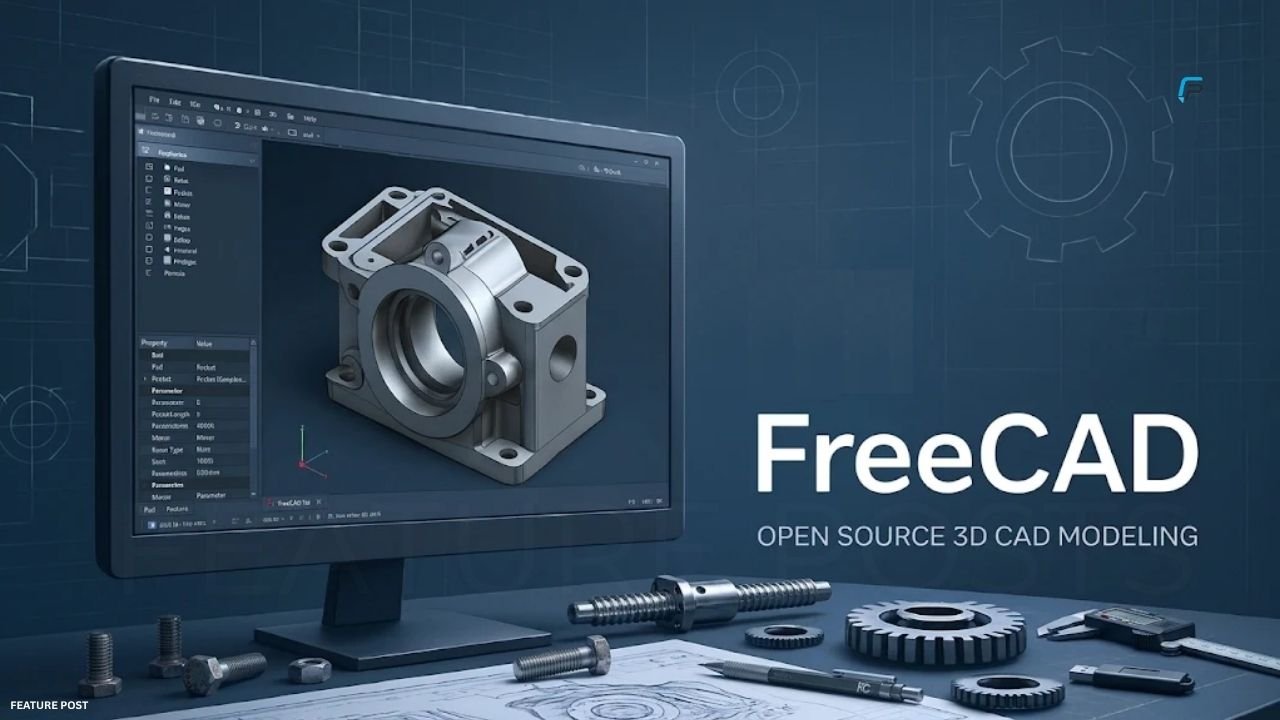
FreeCAD is an open-source parametric 3D modeling application designed for creating real-world objects. It allows users to build mechanical components, product designs, assemblies, and architectural models. Its parametric approach means users can change dimensions and design properties while maintaining a record of how a model developed. The software also includes sketching tools that let designers create constrained 2D shapes and use them as foundations for more advanced 3D objects.
One of FreeCAD’s major advantages is its range of technical features. It supports different file formats, including STEP, IGES, STL, DXF, and OBJ, making it useful for design and manufacturing workflows. Users can also explore tools for 3D printing, computer-aided manufacturing, building information modeling, and engineering analysis. However, beginners may need time to understand its interface and workbenches. It is a particularly useful option for people who want substantial design control without subscription fees.
LibreCAD for 2D Technical Drawings
LibreCAD is a free, open-source CAD application built primarily for two-dimensional drafting. It is suitable for creating technical drawings, diagrams, floor plans, and other projects that require accurate lines, shapes, and measurements. Its interface provides familiar drafting tools that help users construct and edit geometric designs. Because it focuses on 2D work, it can be a practical starting point for students, hobbyists, and professionals who do not need complex 3D modeling.
The software supports DXF files and offers additional export options for sharing or presenting drawings. It runs on Windows, macOS, and Linux, giving users flexibility when choosing a computer. LibreCAD is released under an open-source license, so users do not need to pay subscription fees to access its main features. Its biggest limitation is also its main focus: it does not provide the full 3D modeling environment available in applications such as FreeCAD.
Tinkercad for Beginners and Students
Tinkercad is a free browser-based application from Autodesk that introduces users to 3D design, electronics, and coding. Its simple interface makes it approachable for beginners who have little or no experience with CAD software. Users can create objects by combining basic shapes, adjusting their dimensions, and arranging components in a digital workspace. This visual approach makes it easier to understand how simple geometric forms can become useful three-dimensional designs.
The platform is especially helpful for students, teachers, hobbyists, and people exploring 3D printing for the first time. Since it operates through a web browser, users do not need to install a traditional desktop CAD application. However, Tinkercad does not offer the same depth of parametric controls and engineering features as FreeCAD or Onshape. It works best for learning and relatively simple projects rather than demanding professional design tasks.
OpenSCAD for Code-Based 3D Modeling
OpenSCAD takes a different approach to creating three-dimensional objects. Instead of relying mainly on interactive drawing tools, it allows users to describe shapes through a programming language. Designers write instructions that define basic geometry and combine objects using constructive solid geometry operations. This method provides control over dimensions and design parameters, making the software useful for creating mechanical parts, configurable objects, and models intended for 3D printing.
The application is free and open-source, with versions available for Windows, macOS, and Linux. Its script-based workflow can make repeated design changes easier because users can adjust parameters rather than manually edit every feature. However, beginners who have never written code may find its learning process challenging. OpenSCAD is therefore a better match for technically minded users than people looking for a traditional mouse-driven modeling experience.
Onshape for Browser-Based CAD
Onshape is a cloud-based CAD platform that lets users create and manage designs through a web browser. Its tools support 3D modeling, assemblies, version control, and real-time collaboration. Since projects are stored online, team members can work on designs without relying entirely on local files. This makes the platform useful for people who need access to their work across devices or want to collaborate with others during a design project.
Onshape offers a free plan for personal projects, but users should understand its conditions before choosing it. The free tier is restricted to non-commercial use, and all documents created under that plan are publicly accessible. Businesses or individuals who need private design files and commercial use must consider a paid subscription. Onshape can be a convenient browser-based option, but its licensing conditions may make it unsuitable for confidential professional projects.
Comparing Free CAD Software for Different Needs
Each application has a different strength, so choosing one overall winner would overlook important differences. FreeCAD provides broad parametric modeling and engineering capabilities, while LibreCAD is more focused on traditional 2D drafting. Tinkercad makes basic 3D design approachable, and OpenSCAD offers a code-driven method for creating precise models. Onshape adds browser-based collaboration, although its free plan comes with public-document and non-commercial restrictions.
The most useful comparison is based on the project you want to complete. Someone preparing technical drawings may prefer LibreCAD, while a mechanical engineering student may benefit more from FreeCAD. A beginner experimenting with 3D printing could start with Tinkercad. Users comfortable with programming may enjoy OpenSCAD, and people who need online collaboration may explore Onshape. Testing a small project in each suitable application can reveal which workflow feels most practical.
How to Choose the Right CAD Program
Start by identifying whether your project requires 2D drafting, 3D modeling, or both. If you mainly need accurate plans and technical drawings, a dedicated 2D application may be enough. If you plan to design mechanical components, product assemblies, or objects for manufacturing, look for parametric 3D features. Beginners should also consider how quickly they can understand the interface and find reliable tutorials.
Next, check file compatibility, operating system support, hardware requirements, and licensing conditions. File formats such as DXF, STEP, and STL can be important when sharing drawings or preparing models for production. Also consider whether you need offline access, private project storage, or collaboration tools. A program that looks powerful may not be the best choice if its free plan prevents you from using it for your intended work.
Read: 10 Tools To Build Visibility in AI-Driven Answers in 2026
Benefits and Limitations of Free CAD Software
Free CAD applications reduce the cost of learning technical design and experimenting with new ideas. Students can practice drafting, hobbyists can prepare 3D-printable objects, and small teams can explore digital modeling without immediately purchasing expensive software. Open-source programs also offer another advantage: their communities can contribute improvements, documentation, and additional tools. For many personal and educational projects, these applications provide enough functionality to develop useful skills.
However, free software does not always provide every feature available in commercial products. Some applications have steeper learning curves, limited collaboration options, or narrower modeling capabilities. Free cloud plans may also restrict privacy or commercial use. Users should not assume that every free CAD application is suitable for professional manufacturing. Check the software’s license, export options, and technical capabilities before depending on it for important work.
Tips for Getting Started With CAD Design
New users should begin with a small project rather than attempting a complicated design immediately. A simple bracket, basic floor plan, storage box, or mechanical component can teach essential skills such as drawing, measuring, aligning, and modifying objects. Following beginner tutorials can also help users understand the interface and learn the correct workflow. Practicing regularly is more effective than trying to master every tool at once.
It is also useful to save projects in the software’s native format and export copies when another file type is needed. For example, STL is widely used for 3D printing, while DXF is common in 2D drawing workflows. Keep backup copies and check the exported model before sending it for production. These simple habits can prevent lost work and help users move between different design applications more confidently.
Conclusion
Finding the best free CAD software for 2D and 3D design depends on your experience, project requirements, and preferred workflow. FreeCAD is a strong choice for parametric engineering and product modeling, while LibreCAD serves users who mainly need two-dimensional technical drawings. Tinkercad offers an accessible starting point for beginners, OpenSCAD suits code-based modeling, and Onshape provides browser-based collaboration with specific free-plan restrictions.
Before selecting a program, consider its features, file formats, learning curve, and license conditions. A free application can be powerful, but the right choice is the one that supports your actual design goals. Start with a small project, explore the available tutorials, and test the software’s capabilities. With consistent practice, free CAD tools can help you develop valuable design skills and turn creative ideas into accurate digital models.
Frequently Asked Questions
What is the best free CAD software for beginners?
Tinkercad is a good starting point because it offers a simple browser-based interface for learning basic 3D design.
Which free CAD software is best for 2D drawings?
LibreCAD is a strong free option for 2D drafting, technical drawings, and floor plans.
Is FreeCAD completely free?
Yes. FreeCAD is open-source software that users can download and use without purchasing a standard commercial license.
Can I use free CAD software for 3D printing?
Yes. FreeCAD, Tinkercad, and OpenSCAD can help users create models for 3D printing and export suitable files such as STL.
Is Onshape free for commercial projects?
No. Onshape’s free plan is limited to non-commercial use, and its documents are publicly accessible.
What is the difference between 2D and 3D CAD software?
2D CAD creates flat technical drawings, while 3D CAD creates models with depth, volume, and three-dimensional geometry.
Stay More Update FEATURE POSTS